![[v19.0] CRM Google Maps](/web/image/product.product/16/image_1024/%5Bv19.0%5D%20CRM%20Google%20Maps?unique=f468b65)
![[v19.0] CRM Google Maps](/web/image/product.product/16/image_128/%5Bv19.0%5D%20CRM%20Google%20Maps?unique=f468b65)
Foundation Layer -- Shared Infrastructure
MODULE 01 - FOUNDATION
Base Google Map
The root module for the entire suite. Centralizes Google Maps API key, Map ID, language, region, and color scheme configuration in Settings → General Settings → Google Maps. Provides the shared JavaScript API loader — with automatic retry, library caching, and authentication error detection — and the base OWL map component that all map views inherit, including error handling, offline detection, resize support, and ARIA accessibility.
Why It Exists
All Google Maps features across the suite — map views, autocomplete, form widgets — share a single API key and a single loader. Configure it once and every module works. No per-module API setup, no conflicting script loads, no duplicate configuration.
Module dependencies: web base_geolocalize
MODULE 02 - FOUNDATION
Web View Google Map
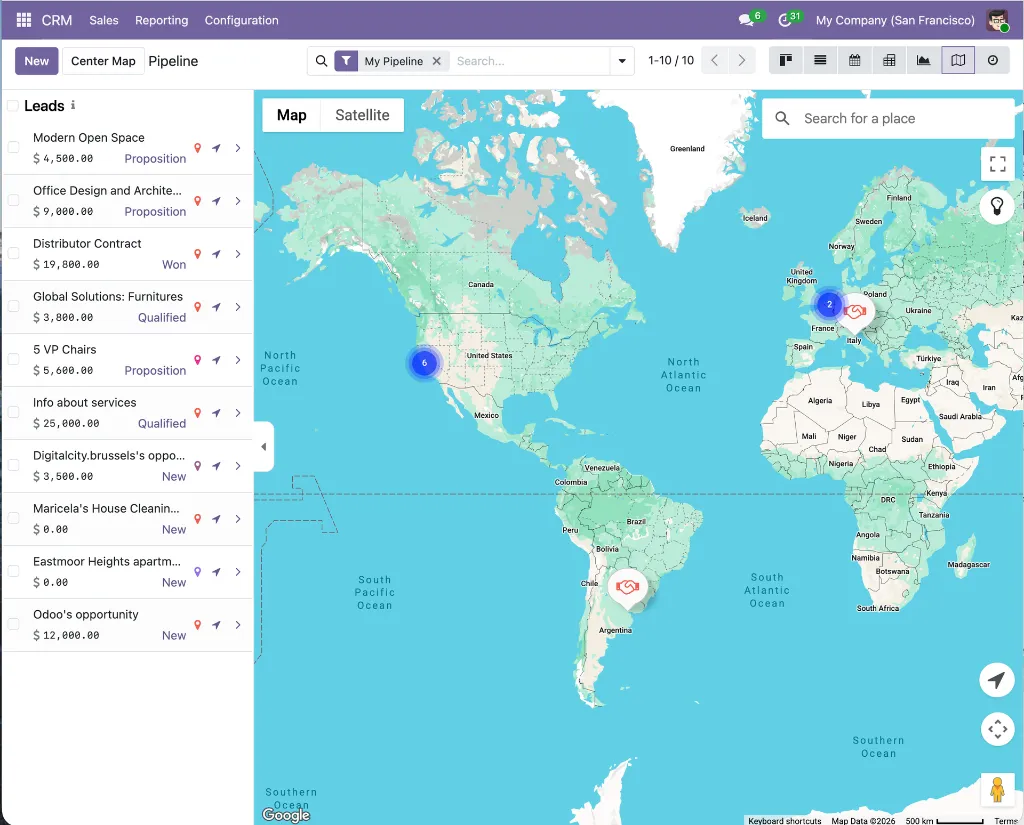
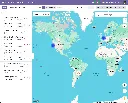
Registers google_map as a first-class Odoo view type. Provides record markers with color coding, a synchronized sidebar, MarkerClusterer for large datasets, overlap handling for co-located records, Alt+drag box multi-selection for bulk actions, in-map place search, a geolocation button, nearby-records search with a configurable radius, full record action support (export, archive, duplicate, delete), and dark mode styling.
Why It Exists
This is the engine behind the CRM map view. Rather than building map rendering from scratch for CRM, the crm_google_map module builds on this shared framework — inheriting all navigation, selection, clustering, and action capabilities without duplicating any code.
Module dependencies: base_google_map
MODULE 03 - FOUNDATION
Web Widget Google Map
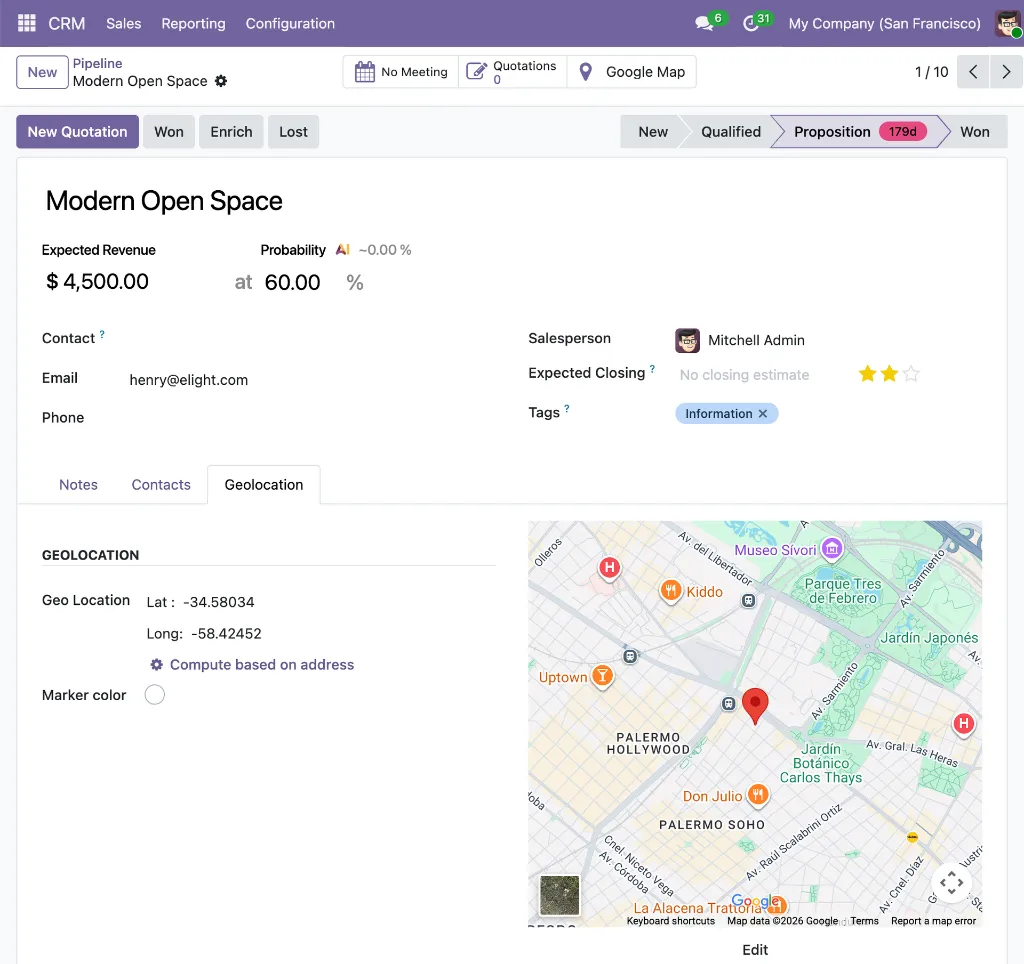
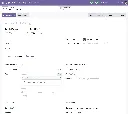
A google_map form widget that embeds a Google Maps preview inside any Odoo form view. An edit button opens an interactive dialog with a draggable AdvancedMarkerElement and a Google Places search box, letting users visually position the marker and confirm coordinates before writing them back to the record. Read-only mode hides the edit controls.
Why It Exists
The embedded map preview on the CRM lead form's Geolocation tab is powered by this widget. It gives sales reps a visual confirmation of a lead's location without leaving the form, and provides a precision coordinate editor for cases where the address needs to be pinpointed exactly.
Module dependencies: base_google_map web_view_google_map
MODULE 04 - FOUNDATION
Web Widget Google Map Autocomplete
Provides the gplace_autocomplete_el widget and the Google Places Mapping configuration system. A data-driven engine that maps any Google Places API response property — address components, coordinates, phone, website, display name — to any field on any Odoo model. Two modes: places (businesses and landmarks) and address (streets and routes only). All field writes are atomic. Includes a built-in live test tool for verifying mappings before deployment.
Why It Exists
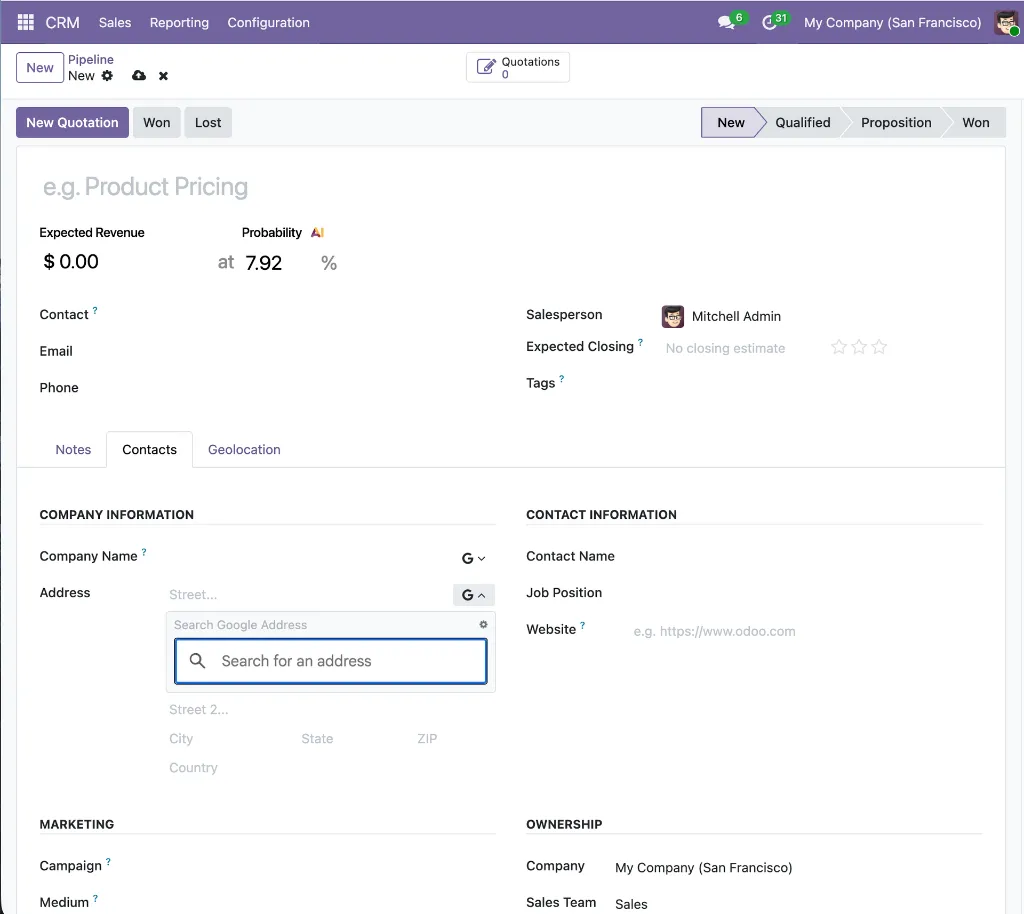
The autocomplete on CRM lead forms is powered by this module. It handles the CRM-specific field mappings — company name to partner_name, coordinates to customer_latitude/customer_longitude — through configuration records that are created automatically when crm_google_autocomplete is installed.
Module dependencies: base_google_map
MODULE 05 - FOUNDATION
Base Google Map: Add Place from Map Click
The abstract foundation for the click-to-create workflow. Provides the google_map.add_place.mixin model mixin with all the logic for fetching Google Place details from the Places API, parsing addresses via the ADR microformat and a locale-aware reverse-geocoding parser, checking for duplicates via the indexed gplace_id field, and opening a pre-populated Odoo quick-create form. Also provides the InMapClickAddPlace OWL component with its visual zoom indicator.
Why It Exists
All the complex logic for click-to-create — Places API calls, address parsing, duplicate detection, form action building — lives here once. The crm_google_map_add_place module simply inherits this mixin and provides the CRM-specific field overrides, without duplicating any of the underlying logic.
Module dependencies: web_view_google_map
Application Layer -- CRM Integrations
MODULE 06 - APPLICATION
CRM Google Map
Adds a Google Map view to Leads, Opportunities, My Activities, Pipeline, and Forecast menus in Odoo CRM. Each lead renders as a custom color-coded marker displaying deal name, stage badge, linked contact, salesperson, expected revenue, probability, and expected closing date — all visible on the map without opening the record. Includes overlap handling for co-located leads, a CRM-specific sidebar showing revenue and stage, a Geolocation tab on the lead form with an embedded map preview and color picker, automatic geolocation from the linked partner, a geocode-from-address button, and a Google Map smart button that appears when coordinates are set.
Why It Exists
The standard CRM pipeline has no geographic dimension. This module adds one — letting sales managers see the spatial distribution of their pipeline at a glance and giving reps a map-based view of their territory alongside the standard list, kanban, and calendar views they already use.
Module dependencies: crm web_view_google_map web_widget_google_map
MODULE 07 - APPLICATION
CRM Google Autocomplete
Replaces the plain company name and street inputs on the Lead/Opportunity form with Google Places autocomplete fields, applied to both the quick-entry group at the top of the form and the detailed lead tab. The company name field uses places mode — selecting a business also fills phone and website. The street field uses address mode, restricted to streets and routes. All address fields (street, street2, city, state, zip, country), geolocation coordinates (customer_latitude, customer_longitude), and contact details are populated in a single atomic write. Field mappings are configured automatically on install.
Why It Exists
Sales reps create leads under time pressure and often skip address fields or enter them inconsistently. This module removes that friction — a single selection from the company name autocomplete fills every address field and stores the coordinates, so new leads appear correctly on the CRM map view the moment they are saved.
Module dependencies: crm web_widget_google_place_autocomplete
MODULE 08 - APPLICATION
CRM Google Map: Add Lead from Map Click
Activates the click-to-create workflow on the CRM Google Maps view. When the map is zoomed in sufficiently (zoom ≥ 15, indicated by the green indicator button), clicking a named Google Place fetches its name, address, phone, website, and coordinates from the Places API and opens a pre-populated quick-create lead form — with the opportunity title automatically set to "[Place Name]'s opportunity." Clicking empty map space reverse-geocodes the coordinate and opens a lead form with the resolved address. Duplicate detection checks gplace_id on crm.lead before opening any form. The map refreshes automatically after saving, and a notification with an "Open" link is shown for both create and update operations.
Why It Exists
Field prospecting should be fast. When a rep is on the CRM map view and spots a nearby business worth pursuing, they should be able to create a fully detailed lead in one click — without switching apps, copying data, or typing a single field manually. This module makes that possible.
Module dependencies: web_view_google_map base_google_map_add_place crm_google_map